
Defining a Browser-Accessible Secure Enclave
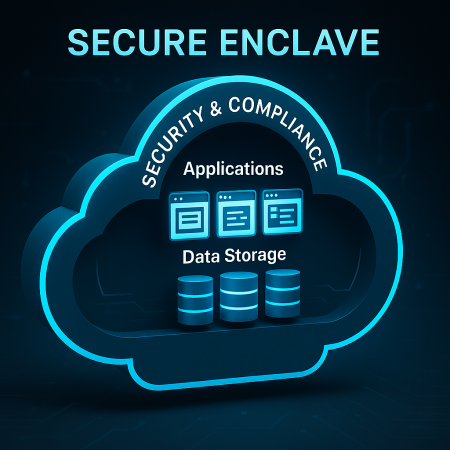
In an era where secure collaboration is essential, a browser-accessible Secure Enclave offers a new approach to remote work. A browser-accessible secure enclave, such as RegDOX’s Compliant Cloud Environment (CCE), uses containerized applications accessible through standard web browsers. Rather than providing a full operating system, it focuses on secure workflows. These include document review, file management, and collaboration within a highly controlled environment. By prioritizing data protection and regulatory compliance over replicating an entire desktop, a Secure Enclave creates a streamlined, purpose-built workspace.
Security Profile of a Browser-Accessible Secure Enclave
Security is at the heart of every Secure Enclave, making it distinct from more traditional approaches like VDI.
- Stronger Isolation than a VDI: The environment is secured at the browser level or via containerization.
- Minimal Data Residue: Once the session ends, none of the data stays on the user’s device.
- Limited Privileges: Users have access to stored data, the enclave’s tools, and the applications brought into an account by its owner. This setup reduces risks from malware, unauthorized software, and unapproved access or sharing of sensitive data.
Together, these safeguards create an environment that is not only more secure but also better aligned with strict compliance standards.
Management and Complexity
While traditional VDI requires heavy infrastructure and constant oversight, Secure Enclaves are designed with simplicity in mind.
- Simplicity: No need for specialized VDI clients and their maintenance and administrative overhead—just a standard web browser.
- Scalability: Account owners can quickly spin up, define, and revoke access to content and applications for both new and existing users, including third parties or temporary collaborators.
- Lower Admin Overhead: No account owner OS-level patching or provisioning is required since the Secure Enclave provider maintains the complexities that remain on the back end.
This leaner management model reduces cost, complexity, and administrative burden while still meeting strict security and compliance needs.
Typical Use Cases
The true value of a Secure Enclave emerges in scenarios where security, compliance, and controlled collaboration are critical.
- Highly Regulated Industries: Finance, healthcare, legal, government, military—anyone with highly confidential data.
- Third-Party Access: Contractors or partners can work in a secure environment without installing complex software.
- Compliance-Driven Workflows: Ideal where data leakage and unauthorized disclosure are top concerns.
Example: The U.S. Department of Justice highlighted the advantages of Secure Enclaves in a Privacy Impact Assessment (PIA), demonstrating their potential for secure collaboration. This assessment offers a detailed explanation of the strengths and potential applications of using a secure enclave for unclassified computing. The DOJ implemented this secure enclave to provide controlled access to tools, services, applications, and content in a protected environment.
For a deeper look into this approach and its benefits, you can read the full Department of Justice Privacy Impact Assessment:
Complete this form to receive the Impact Assessment by email.
Looking Ahead
In Part 4, we’ll present a downloadable, side-by-side comparison of VDIs and a Browser-Accessible Secure Enclaves to highlight key differences and which scenario best suits a particular organization’s needs.
About RegDOX
At RegDOX Solutions Inc., we help defense contractors and high-security organizations simplify compliance with ITAR, EAR, DFARS, NIST SP 800-171, and CMMC requirements. Our secure, cloud-based platforms combine end-to-end encryption, access controls, and audit-ready documentation to keep your data—and your contracts—safe.
Need help navigating evolving cybersecurity regulations?
Request a Compliance Demo
Or contact us directly at info@regdox.com
See the enclave in action.
The Compliant Computing Enclave keeps CUI inside one boundary, with your endpoints out of scope and the evidence trail already built.
Talk to an Expert →